
Pick up a SIM card from an old phone and compare it with the one in a modern smartphone, and the difference is obvious. One looks like a small credit card with a chip in the corner. The other is barely larger than a fingernail. Both do exactly the same job. They store the information that connects your phone to your mobile network, identifies your number, and proves to the carrier that you are an authorised customer. The only real difference is how much plastic surrounds that chip.
Understanding sim card sizes matters more often than people expect. It matters when you buy a new phone and your old card does not fit, when you swap a card into a spare device while travelling, when you help a family member set up a handset, or when a carrier sends you a replacement and you are not sure which piece to punch out. This guide walks through the three main sizes you will meet, why phones moved to smaller cards, how adapters and multi-size cards work, and how to handle a size mismatch without damaging anything. If you want the broader background first, our guide on what a SIM card is and what it stores is a good place to start.
The Three Main SIM Card Sizes
Over the years, manufacturers settled on three sizes that most people will encounter. The largest is usually called the standard SIM, sometimes also called the mini SIM. Despite the name mini, it became the normal size for many years and is the one many people remember from earlier mobile phones. It has a noticeable amount of plastic around the gold contact area and feels sturdy in the hand.
The next step down is the micro SIM. It trims away much of the surrounding plastic while keeping the same contact layout. It became common as phones got thinner and designers wanted more internal space for batteries, cameras, and other components. The smallest of the three, and the one used in most recent smartphones, is the nano SIM. With a nano SIM, there is almost no plastic border at all. The card is little more than the chip itself with a thin frame to hold it in place in the tray.
What is important to understand is that the working part did not fundamentally change between these sizes. The gold contacts and the information stored on the chip follow the same basic idea. The shrink was mostly about the carrier card around the chip, not about a completely new technology. That is why a larger card can, in careful hands, be trimmed down, and why a smaller card can sit in a larger slot with the help of an adapter. The size is physical, not a difference in your number, your plan, or your network access.
Why Did SIM Cards Get Smaller?
Phone design is a constant fight for space. Inside a modern handset, every millimetre is claimed by something: the battery, the display layers, the camera modules, speakers, vibration motors, and cooling materials. A large SIM tray and a large card take up room that engineers would rather give to a slightly bigger battery or a better camera. As phones became slimmer and screens grew to fill the front of the device, shrinking the SIM was an easy win.
There was also a practical benefit for manufacturers building many different devices. Tablets, wearables, portable hotspots, and connected gadgets all needed network identity in a small form. A tiny card standard made it easier to fit mobile connectivity into compact products. Over time, the industry moved step by step, first from standard to micro, and then from micro to nano, with each transition lasting several years so that carriers, retailers, and customers could adjust.
It is worth noting that smaller did not mean more fragile in normal use, even if a nano SIM feels delicate. Once the card is seated in its tray and slid into the phone, it is well protected. Most damage to SIM cards happens outside the phone, when cards are loose in a drawer, carried in a wallet, or forced into the wrong slot. Handled carefully and kept in their trays, even the smallest cards last for years without any trouble.
How to Tell Which Size Your Phone Needs
The simplest way to know your size is to check the phone itself. If you eject the SIM tray and look at the shape of the recess, it will match exactly one size. A nano tray is unmistakably tiny. A micro tray is noticeably larger. Many phones also state the required size in their printed setup guide, on the box, or in the support section of the manufacturer website, usually under specifications or getting started.
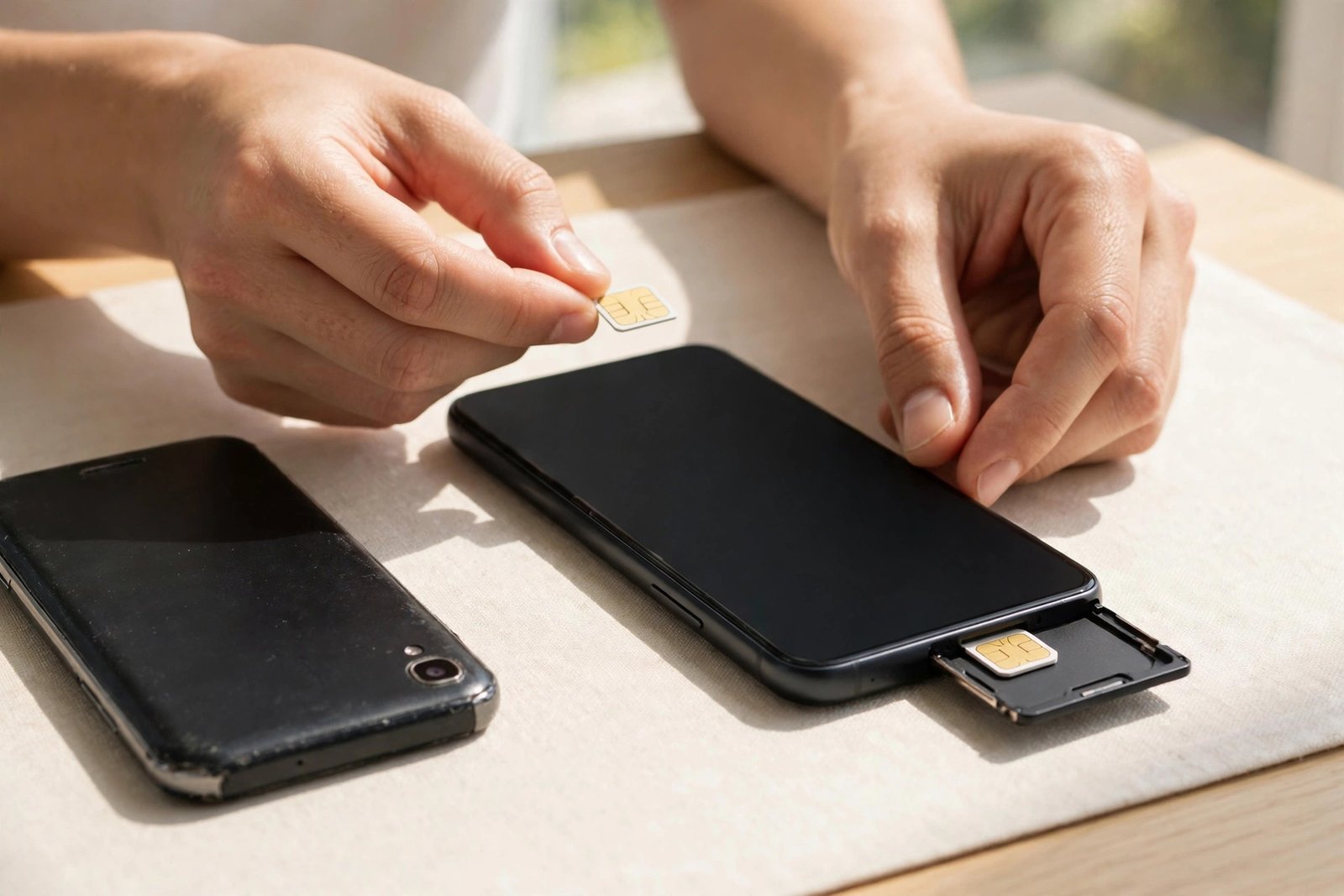
If you still have your old phone, compare the two trays side by side before you move the card. If the recess looks the same, your card will transfer directly. If the new recess is smaller, you will need a smaller card. If it is larger, you will need an adapter or a replacement card in the correct size. Never guess and push a card in loose. A card that shifts inside the tray can jam, fail to make contact, or be difficult to remove.
Carrier shops deal with this every day, and a quick visit usually solves it in minutes. Most carriers now issue what is often called a multi-SIM or combi SIM. It arrives as a larger card with the smaller sizes pre-cut inside it, a bit like a model kit. You simply press out the size you need and keep the outer frame in case you ever need to size back up. If your replacement card looks like that, do not throw the frame away until you are sure everything works.
Checking Without Opening the Phone
If you do not want to open the tray just to check, look up your exact model in the manufacturer support pages and search for SIM within the specifications. Retailers also tend to list the SIM type on the product page. Another clue is age, though it is only a clue and not a rule. Very old handsets are more likely to use standard or micro cards, while recent smartphones almost always use nano. Always confirm with the tray or the official specification before ordering adapters or replacements, because exceptions exist across brands and regions.
Using Adapters to Make a Small SIM Fit a Larger Slot
Adapters are small plastic frames that hold a nano SIM so it can sit correctly in a micro or standard slot, or hold a micro SIM for a standard slot. Used properly, they work well. The card sits flush inside the frame, the combined piece matches the larger size, and the contacts line up where the phone expects them. Adapters are cheap, widely available, and often included free with a new multi-SIM from a carrier.
The key is fit and care. A good adapter holds the card snugly with no wobble and no raised edge. A poor quality or damaged adapter can catch inside the phone as you slide the tray or card in, and in older phones that use spring-loaded slots without a removable tray, a caught adapter can be genuinely difficult to retrieve. For that reason, many technicians prefer a proper replacement card in the correct size for long-term use, and treat adapters as a short-term or occasional solution, for example when moving a card into a spare phone for a weekend trip.
If you do use an adapter, insert it slowly, keep everything flat, and never force it. If it resists, stop, remove it, and check the alignment. Also avoid adapters with loose tape, stickers, or rough edges. And once the card is working in the larger phone, leave it in place rather than swapping it in and out repeatedly, since each swap is another chance for the card to slip from its frame.
Can You Cut a Larger SIM Down to Size?
Because the chip itself stayed similar while the plastic shrank, cutting a larger SIM down is physically possible, and purpose-made SIM cutters exist for the job. They work like a shaped hole punch, pressing the card into the smaller outline in one action. In skilled hands, and with the correct cutter, the result can work perfectly. This was a common service in phone shops during the transition years between sizes.
That said, cutting carries real risk for anyone doing it at home with scissors. Cut too close and you can damage the contacts or the chip. Cut unevenly and the card may jam in the tray or fail to sit flat. A damaged SIM means a trip to the carrier for a replacement anyway, possibly while your number is out of action. For most people, the safer route is simply to ask the carrier for the correct size. Replacements are routine, your number and plan move with the replacement, and many carriers provide them at little or no cost when you are upgrading a phone.
There is one more thing to keep in mind. Some very old standard SIMs are slightly thicker than modern cards. Even if the outline is cut correctly, a thicker card can be a tight fit in a slim modern tray. That is another reason a fresh card from the carrier, made to current dimensions, is usually the cleanest solution when you change phones after many years.
What About eSIM and the End of Physical Cards?
You may be wondering whether physical sizes matter at all in the future, since many newer phones also support digital SIM technology. An eSIM is built into the phone and is set up with a carrier profile rather than a removable card, so there is no size to match at all. Our explainer on how eSIM works covers that in detail. Some phones offer both options, with a physical tray alongside eSIM support, which gives travellers and people with two numbers useful flexibility.
For now, though, physical SIMs remain everywhere. Plenty of perfectly good phones, including budget models, spare handsets, and devices in many regions, rely entirely on a physical card. Carriers still hand them out every day. So knowing your sizes is not outdated knowledge. It is the difference between a five-minute phone swap and a frustrating evening with a card that will not fit. You may also find it helpful to read how phones with two cards handle this in our guide to how dual SIM phones work, since those devices often combine one physical slot with a digital option.
Common Mistakes and How to Avoid Them
The most common mistake is forcing a card or tray. SIM trays are designed to slide smoothly. If something feels stuck, the card is probably misaligned, upside down, or the wrong size for the tray. Stop, eject, and look carefully. The tray usually has a shaped corner that matches a cut corner on the card, which tells you the correct orientation. The gold contacts normally face downwards or towards the back of the phone, depending on the design, and the tray shape makes the right way obvious once you look.
Another frequent problem is losing a nano SIM. Because it is so small, it is easy to drop, misplace on a desk, or leave inside an adapter frame by accident. When you swap cards, work over a flat, clear surface, keep the removed card in its tray or in the carrier frame, and put it somewhere safe immediately. If you are storing a spare SIM long term, tape it inside its original larger frame or keep it in a labelled envelope in a drawer, not loose in a wallet where the contacts can be scratched or bent.
Finally, people sometimes assume a size problem is a network problem. If a newly inserted card shows no service, check the fit first before changing settings. A card sitting slightly loose in an adapter may not press firmly against the phone contacts. Reseating it carefully solves many of these cases. If the fit is correct and the problem continues, our guide to fixing a phone that says no service walks through the next steps in order.
Keeping Your Number When the Size Changes
A change of SIM size never means a change of number by itself. Your number belongs to your carrier account, not to the piece of plastic. When a carrier issues you a smaller replacement card, they link the new card to your existing account, and once it is activated your number, plan, and balance move across. The old card is then deactivated for security, so it cannot be used by anyone who finds it.
The process is usually quick, but there can be a short gap between the old card switching off and the new one becoming active. That is normal. Restart the phone once the new card is in place, give it a few minutes, and test with a call or a mobile data check with Wi-Fi turned off. If you are arranging the swap because you are moving to a new handset, it helps to read our walkthrough on transferring your number to a new SIM or phone before you start, so you know what to back up and what to expect at each stage.
One practical tip: do the swap at a time when you are not urgently expecting an important call or a verification code by text message. Most swaps complete without drama, but doing it during a quiet hour means that even a short delay causes no stress. Keep your old phone charged and nearby until the new setup is confirmed working, just in case you need to receive a code on the old card before it deactivates.
Quick Reference for Choosing the Right Size
When you need to decide quickly, work through this simple order. First, identify what the new phone needs by checking its tray or specification. Second, look at what you already have. If they match, swap directly and test. If your card is too big, ask your carrier for a replacement in the correct size, or press out the right size from a multi-SIM if you have one. If your card is too small, use a quality adapter for short-term use or request a correctly sized replacement for long-term use. Third, after any swap, restart the phone and test calls, messages, and mobile data before you rely on it.
It also helps to keep the packaging and frames from any new SIM in a drawer for a while. The frame tells you the sizes at a glance, holds a small card safely, and may carry printed details your carrier support might ask for. Throwing it away immediately is a small habit that causes a surprising number of headaches later, especially for families who share spare phones and swap cards between them.
Conclusion
Standard, micro, and nano SIMs are the same idea in three sizes of plastic. Phones shrank the card to save precious internal space, not to change how your number works. Once you know which size your phone needs, every swap becomes straightforward: match the size, use a proper replacement or a careful adapter when sizes differ, never force a tray, and test the connection after restarting. Keep your spare cards stored safely, keep the frames, and a size change will never be the thing that delays your new phone setup.



3 Comments on “SIM Card Sizes Explained: Standard, Micro and Nano”