
It is one of the smallest parts of your phone and one of the most important. The SIM card is the tiny chip that tells a mobile network who you are, which account your usage belongs to, and why this handset should be allowed to make calls and use data in your name. Remove it, and most phones become small Wi-Fi computers that cannot join a mobile network at all. Move it to another phone, and your number and service move with it. Understanding what a SIM card is, and what information it stores, clears up a whole family of everyday questions about changing phones, travelling, and keeping your number safe.
SIM is short for subscriber identity module. The name gives away its job. It is an identity module, a secure little computer in its own right, with its own processor, memory, and secret keys that never leave the card. It is not merely a memory card with your number written on it. It actively proves your identity to the network every time you connect, using cryptography that has protected mobile accounts since the early digital era described in the GSM vs CDMA story, where the swappable card was one side’s defining feature.
What a SIM Card Actually Does
When your phone joins a network, the network needs to be sure your subscription is real before it provides service it will bill for. The SIM performs that proof. The network sends a challenge, the SIM uses its secret key to calculate the correct response without ever revealing the key itself, and the network checks the answer against its own records. If the answer matches, you are authenticated, and the session can proceed with encryption keys derived as part of the same process.
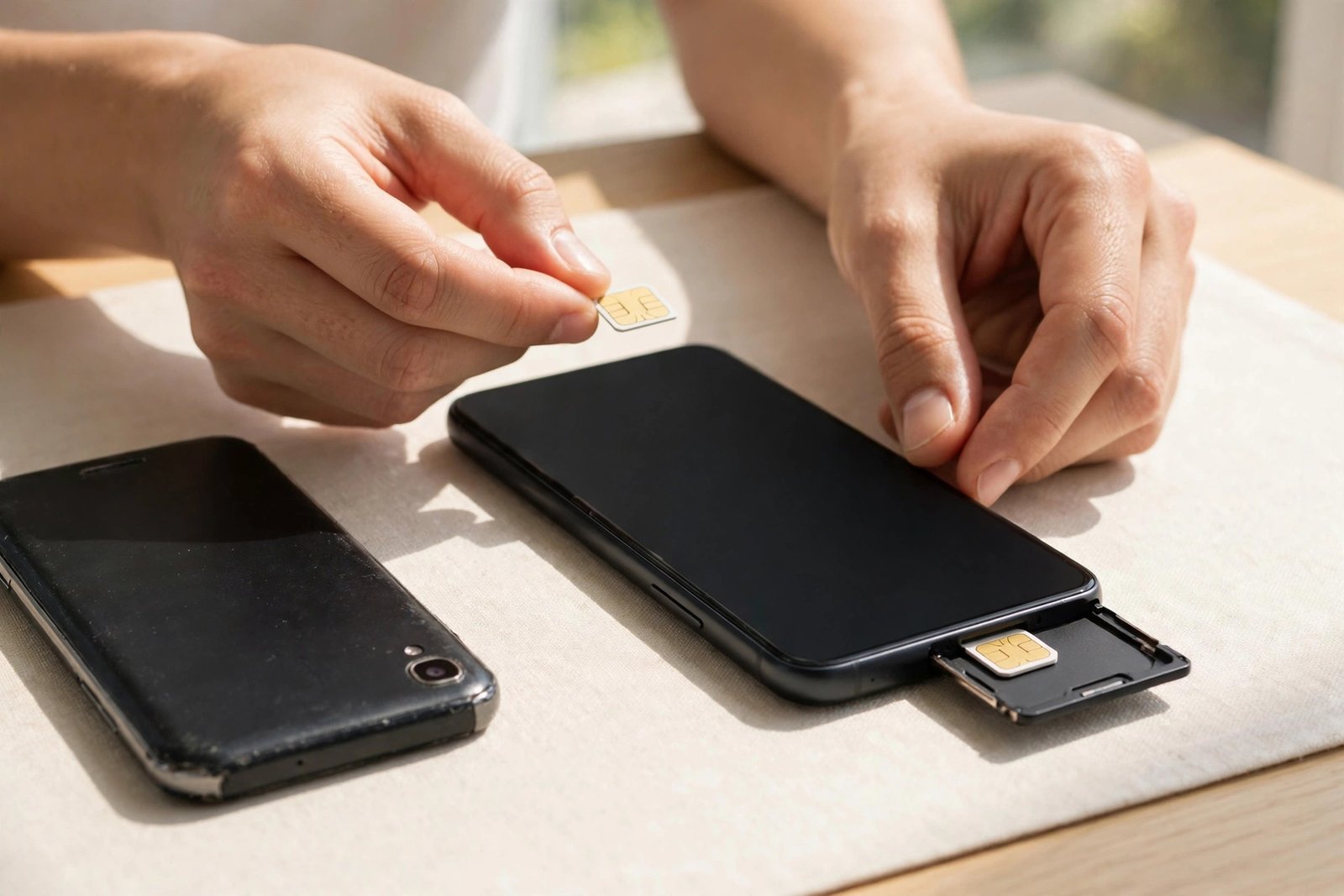
This design is elegant for two reasons. First, the secret never travels over the air, so copying it by listening is not possible. Second, identity lives on a removable, replaceable object. Lose a phone and the operator can issue a fresh SIM with the same number while disabling the old one. Upgrade to a new handset and your identity simply moves across. That portability shaped how people buy phones, and it still underpins the process in transferring your number to a new SIM when a card is replaced or a provider changes.
The Key Information Stored on a SIM
The most important stored item is your subscriber identity, a unique number that identifies your subscription to networks worldwide. It is different from your phone number. The phone number people dial is a public address that networks map to your subscription, and that mapping can change, which is how number portability between operators works. The subscriber identity on the SIM, by contrast, belongs to the issuing operator and anchors your account behind the scenes.
The SIM also holds the secret authentication key already mentioned, along with the algorithms needed to use it. It stores network information, such as your home operator’s identifiers and lists that help the phone choose networks at home and abroad, which plays a direct part in how roaming connects you when you travel. Many SIMs carry operator settings and service menus as well, and most provide a small storage area historically used for contacts and a handful of text messages, though modern phones now keep those in the device and the cloud instead.
What Is Not Stored on Your SIM
It helps to clear up common confusion. Your photos, apps, messages in modern messaging services, browsing history, and files are not on the SIM. Neither, in most modern setups, is your full address book. Swapping a SIM into a new phone carries your number and network access, not your digital life. That is why changing phones involves two separate jobs: moving the SIM or eSIM for service, and transferring your data by backup or direct transfer for everything else. People who expect the SIM to do both jobs end up thinking data has been lost when it is simply still on the old device.
PINs, PUKs and Keeping the Card Secure
Most SIMs can be protected by a short PIN. When SIM PIN protection is on, the phone asks for the code when it restarts or when the SIM is moved to another device. A few wrong attempts lock the SIM, and a longer code called the PUK is then needed to unlock it, which your operator can supply after verifying your identity. Repeated wrong PUK entries can disable a SIM permanently, at which point only a replacement will restore service.
These codes sound old fashioned, and many people never change the default or never enable the PIN at all. It is worth reconsidering. A SIM PIN adds a layer between a thief and your number, and your number matters beyond calls. Many accounts use text messages as part of their sign in security, so control of your number is control of a key to your wider digital life. Treat SIM swap requests with equal seriousness. Operators should verify identity rigorously before issuing your number to a new SIM, and you should contact yours immediately if your phone suddenly loses service for no clear reason, since an unexpected loss can be an early sign of a fraudulent swap attempt.
SIM Card Sizes Through the Years
The chip is the same idea in every generation, but the plastic around it has shrunk as phones chased slimness and internal space grew more precious. The earliest SIMs were the size of a credit card. They were followed by the mini SIM that many people remember from early mobile phones, then the smaller micro SIM, and then the nano SIM used by most recent handsets. Each step kept electrical compatibility while trimming the card body down toward the chip itself.
Because only the plastic changed, adapters and careful cutting became common, and multi size SIMs that pop out from a larger frame are now the normal way operators issue cards. Getting the size right for your device still matters, and getting it wrong can jam a tray or leave a card loose. The full visual walkthrough lives in the guide to SIM card sizes, which shows each format and how the pop out frames work in practice.
How a SIM Differs From an eSIM
An eSIM does the same job without a physical card. The identity module is a chip built into the phone, and your operator’s profile is downloaded onto it securely, usually by scanning a code or using an app during setup. The authentication, the secret keys, and the network behaviour are equivalent in principle. What changes is the handling. There is no tray to open, no card to lose or damage, and switching between stored profiles can be done in settings, within the rules your operator sets.
Each approach has honest advantages. A physical SIM is effortless to move between phones, works in the widest range of devices including simple and older handsets, and can be removed instantly. An eSIM is convenient for travel, for adding a second line without a second tray, and for small devices like watches where a tray will not fit. Many phones now offer both, and many travellers pair a home eSIM or SIM with a local data profile abroad. Neither is going away immediately, and your choice can be based on habit and handset rather than on any difference in call quality or security for ordinary use.
Dual SIM Phones and Two Identities at Once
Once identity is a module, a phone can hold two of them. Dual SIM devices accept two physical cards, two profiles, or a mix of one card and one eSIM depending on the model. People use the second slot for a work line, a travel line, a data focused plan alongside a trusted number, or coverage from a second network in areas where one operator is weak. The phone manages two registrations at once and asks you, or follows your rules, about which line handles calls, texts, and data.
There are small compromises to know about. Battery use rises slightly with two active lines. On some models the second line has limits when the first is busy or using data heavily, though newer designs have narrowed those gaps. For most users the flexibility easily outweighs the footnotes, and in many countries dual SIM is not a specialist feature at all but the expected norm that single SIM phones have to justify themselves against.
When a SIM Needs Replacing
SIMs are durable, but they do not last forever and they do not always fit the future. A card may need replacing when it is physically damaged, when its contacts wear or corrode, when you change to a phone needing a smaller size than a careful trim can provide, or when an operator issues newer cards to support services an old card cannot handle. Unexplained registration failures that follow the SIM from phone to phone are another classic sign that the card, not the handset, is the problem.
Replacement is normally straightforward. Your operator verifies your identity, issues a new SIM or eSIM profile linked to your existing number and account, activates it, and the old card stops working. Expect a brief window during the swap when service pauses, and expect security checks to feel strict. They are strict for good reason, given what control of a number allows, and a careful process protects you far more than it inconveniences you.
Looking After Your SIM Day to Day
Simple habits keep SIM trouble rare. Handle the card by its edges and keep the gold contacts clean and unscratched. Do not force a tray that resists, since a bent tray or a mis seated card causes exactly the intermittent no service faults that are hardest to diagnose. Keep your PUK and account details somewhere safe and private, never with the phone itself. When you dispose of an old phone, remember the SIM in the tray, and when you dispose of an old SIM, cut through the chip area before throwing it away so the card cannot be reused casually.
If your phone reports no SIM, an invalid SIM, or persistent registration failure, a calm order of checks helps. Restart the phone. Reseat the card carefully. Try the card in another unlocked phone if one is available, and try another known good SIM in yours. Those two swaps separate card faults from phone faults in minutes and will make any conversation with your operator shorter and more productive.
Conclusion
A SIM card is your subscription made physical: a secure identity module that proves who you are to the network, stores the keys and identifiers that make authentication and roaming possible, and carries your service from phone to phone in your pocket. It does not hold your photos or your apps, and it was never meant to. Its job is trust, and it does that job quietly every time your phone connects. Whether yours is a nano SIM in a tray or an eSIM profile in a chip, treating it with a little care and understanding keeps your number, and everything your number unlocks, safely and reliably yours.




6 Comments on “What Is a SIM Card and What Information Does It Store?”